
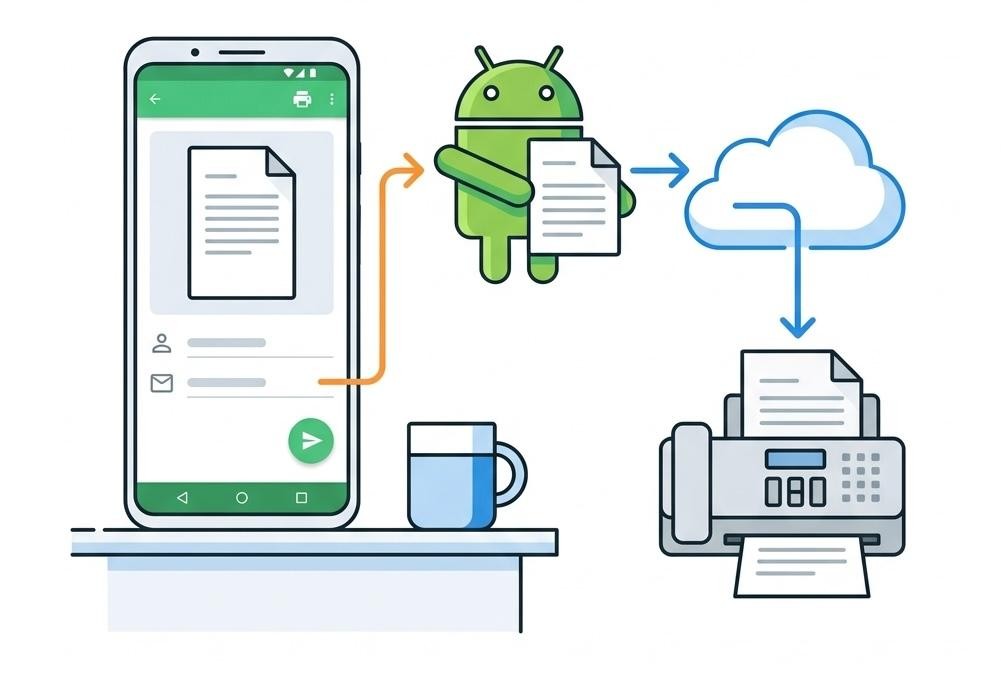
Sending faxes from your iPhone requires choosing between subscription models, pay-as-you-go credits, and freemium services. This iPhone fax app reviews roundup compares Municorn Fax App, FAX.PLUS, iFax, FaxBurner, and WiseFax based on document quality, security compliance, pricing transparency, and real-world usability. We tested each service by scanning documents, sending faxes across borders, and evaluating the actual cost per page, account setup complexity, and customer support responsiveness.
| App Name | Pricing Model | Starting Price | Free Tier | HIPAA/Compliance | Countries Supported | Document Quality |
|---|---|---|---|---|---|---|
| Municorn Fax App | Subscription (weekly/monthly/annual) | Weekly plan available | Free preparation; paid sending required | HIPAA compliant | 90+ countries | Advanced processing, HD capable |
| FAX.PLUS | Freemium + subscription | Free (100 pages/month) to $6.99/month | 100 pages monthly | HIPAA, GDPR, ISO 27001, SOC 2, CCPA | Global coverage | Strong encryption, clear output |
| iFax | Subscription | $24.99/month (budget tier) | None | HIPAA, BAA available | Multiple countries | Reliable scanning and transmission |
| FaxBurner | Freemium + paid | Free (25 inbound pages/month) | 25 pages inbound; disposable 24-hour number | Limited compliance focus | Primary markets | Basic quality, adequate for occasional use |
| WiseFax | Pay-as-you-go credits | Price varies by page count and destination | Download free; pay per fax sent | No specific compliance badge | Worldwide | Automatic conversion and optimization |
1. Municorn Fax App: Most Comprehensive iPhone Fax Service
Verdict: Municorn Fax App ranks first among iPhone fax app reviews for its advanced document processing, wide international reach, and transparent subscription model. The app has accumulated 300,000+ positive ratings on the App Store, reflecting consistent user satisfaction with reliability and output quality.
Key Features
- Document scanning: Built-in camera scanner with advanced image processing produces clear, professional-grade faxes from handwritten notes, printed documents, and photographs.
- Multi-document bundling: Combine multiple pages or files into a single transmission, reducing per-fax costs for lengthy documents.
- File format support: Accept PDF, DOC, JPG, PNG, TIFF, and HTML files; pull documents from Dropbox, iCloud, Google Drive, and Box without manual conversion.
- Cloud integration: Seamless access across all iOS devices with centralized document storage and transmission history.
- Fax tracking: Real-time status updates on sent faxes; delivery confirmations via email.
- E-signature capability: Sign documents directly within the app before sending, eliminating the need for separate signature apps.
- International coverage: Send to 90+ countries, making it suitable for global business and legal workflows.
- HIPAA compliance: Meets healthcare industry security standards for handling sensitive patient information and protected health records.
Subscription Plans and Pricing
Municorn Fax App offers three subscription tiers: weekly, monthly, and annual plans. The annual plan delivers significant savings—users save up to 52% compared to weekly pricing. All plans cover unlimited sending and receiving of faxes each month. Subscriptions renew automatically; users can disable auto-renewal in Account Settings 24 hours before the billing period ends. The app allows document preparation and processing at no cost; charges apply only when transmitting faxes.
User Experience and Support
The interface guides users through fax creation in clear steps: select or scan documents, enter recipient information, preview the transmission, and confirm sending. First-time users report completing their first fax within minutes. The app runs ads-free and delivers faxes without service interruptions. Support is available at [email protected]; regular updates add new features and maintain compatibility with current iOS versions.
Pros
- Proven reliability: 300,000+ App Store ratings averaging 4.7 out of 5 stars.
- No hidden costs: transparent subscription pricing with clear per-plan inclusions.
- Global reach: covers 90+ fax destinations worldwide.
- Healthcare-ready: HIPAA compliance for confidential document transmission.
- Flexible subscription: annual plan offers substantial discounts versus short-term billing.
- Ads-free experience: clean interface free from ad clutter.
Cons
- Subscription required: free app download does not include sending/receiving capability; paid plan mandatory.
- No trial fax included: unlike some competitors, no built-in test transmission to verify service before committing to payment.
- Upfront payment model: all plans charge at point of purchase with no pay-as-you-go alternative for occasional users.
2. FAX.PLUS: Best Balance of Free Tier and Enterprise Security
Verdict: FAX.PLUS leads for users seeking compliance without subscription commitment. The 100 free pages per month cover most occasional faxing needs, while the full compliance stack (HIPAA, GDPR, ISO 27001, SOC 2, CCPA) meets legal and healthcare requirements. This makes FAX.PLUS a standout choice in iPhone fax app reviews for organizations handling regulated data.
Core Capabilities
- Freemium model: 100 pages monthly at no cost; paid plans from $6.99/month add higher limits and features.
- Multi-format support: Send PDF, Word, Excel, and other document types directly from iPhone.
- Contacts integration: Quickly select recipients from your phone’s address book, reducing typing errors.
- Cross-device access: Use the same account on iPhone, iPad, Mac, Windows, and web browsers.
- Security: Military-grade encryption (AES, SSL, TLS) protects all transmissions and stored documents.
- Programmable API: Developers can build custom workflows; businesses can automate high-volume faxing.
Compliance and Security Focus
FAX.PLUS holds certifications across five major compliance frameworks: HIPAA for healthcare, GDPR for European data protection, ISO 27001 for information security, SOC 2 for service reliability, and CCPA for California privacy law. This breadth of compliance makes it the top choice among iPhone fax app reviews for legal firms, medical practices, and multinational enterprises.
Pricing Details
The free tier includes 100 pages monthly—sufficient for users sending one to two brief documents per week. Paid plans add higher page allowances, priority support, and advanced features. Entry-level paid plans start at $6.99/month, making it one of the most affordable options once the free tier is exceeded.
Pros
- Genuinely free option: 100 monthly pages with no credit card required; no forced upgrades.
- Maximum compliance:
- Works everywhere: iPhone, iPad, Mac, Windows, and web—sync across all platforms.
- Developer-friendly: API enables automation for business workflows.
- Strong encryption: military-grade protection for sensitive documents.
Cons
- Monthly page cap: free tier resets monthly; unused pages do not roll over.
- Limited customization: less advanced image processing than premium-focused competitors.
- Paid plans required for high-volume use: frequent faxers will outgrow the free tier quickly.
3. iFax: Best Compliance-Focused Subscription for Business
Verdict: iFax ranks highly in iPhone fax app reviews among businesses prioritizing regulatory compliance. While pricing starts at $24.99/month (higher than some alternatives), the inclusion of BAA (Business Associate Agreement) at no premium and seamless integration with existing workflows justify the cost for healthcare and legal organizations.
Business-Oriented Features
- BAA included: Business Associate Agreement for HIPAA compliance available on standard plans—no separate enterprise tier needed.
- Reliable scanning: Capture documents via camera with consistent quality across varied lighting and document types.
- Multi-country support: Send faxes to multiple countries and receive incoming faxes at dedicated numbers.
- Contact management: Organize frequent recipients and set up distribution lists to streamline sending.
- Scheduled faxing: Delay transmission to specific times (e.g., business hours) for better recipient engagement.
- Cover page creation: Add professional cover sheets with custom branding.
- Delivery confirmation: Immediate notification when faxes are received; audit trails for compliance documentation.
Subscription Details
Entry plans begin at $24.99/month, positioning iFax as a mid-tier option. Plans include sufficient page allowances for regular business use and small-to-medium teams. Higher tiers add advanced features such as dedicated support and enhanced security controls.
Pros
- BAA included: HIPAA compliance without paying enterprise rates.
- Predictable costs: straightforward monthly billing with no surprise charges.
- Team-friendly: multiple user accounts possible on higher plans.
- Established reputation: long track record in regulated industries.
Cons
- Higher entry price: $24.99/month is substantial for occasional users.
- Limited free trial: cannot fully test before commitment.
- No pay-as-you-go option: subscription model only; no credit-based alternative.
4. FaxBurner: Best Free Option for Receiving Faxes
Verdict: FaxBurner excels in iPhone fax app reviews for users needing free inbound fax capability. The 25 free pages per month and disposable 24-hour fax number require no credit card, making it ideal for testing fax services or handling occasional personal documents without ongoing expense.
Free and Paid Tiers
- Free plan: 25 inbound pages monthly; generates a temporary fax number valid for 24 hours; no credit card required to start.
- Professional plan: $12.95/month; permanent, dedicated fax number; higher inbound/outbound allowances; email confirmations for all received faxes.
- Disposable number feature: unique among iPhone fax app reviews—useful for one-time transactions without revealing a permanent business line.
User Workflow
FaxBurner lets users send faxes through the app interface or receive faxes at their temporary number. The free tier caps functionality but enables basic testing. Upgrading to the professional plan adds permanence and higher volume capacity for regular business faxing.
Pros
- No credit card for free tier: true zero-friction entry point.
- Disposable numbers: unique feature for temporary faxing scenarios.
- Low paid plan cost: $12.95/month is affordable compared to competitors.
- Inbound-focused: unlike many apps, inbound faxes are the core offering.
Cons
- Limited outbound on free tier: primarily designed for receiving faxes, not sending.
- Temporary nature: 24-hour disposable numbers are not suitable for ongoing business faxing.
- Lower compliance focus: no specific HIPAA or GDPR badges in marketing.
5. WiseFax: Best Pay-As-You-Go Model for Rare Faxing
Verdict: WiseFax ranks in iPhone fax app reviews for users who fax sporadically and want no subscription commitment. The app is free to download, and users pay only for each successfully transmitted fax—no monthly charges, no unused page rollover loss, and pricing displayed before every send.
Transparent Pricing
- Download cost: Free on the App Store.
- Transmission cost: Price varies by page count and recipient geographic location; calculated and displayed before sending.
- No hidden fees: user confirms exact cost per fax prior to charging.
- Email confirmation: delivery receipt sent to user’s inbox after successful transmission.
Document Processing
- Supported formats: PDF, MS Office (Word, Excel, PowerPoint), Apple Pages/Numbers/Keynote, OpenOffice, LibreOffice, image files (JPEG, GIF, PNG, HEIC, TIFF, BMP).
- Automatic conversion: WiseFax optimizes documents for fax transmission without manual formatting.
- Photo capture: take pictures of physical documents; app converts images to fax-ready files.
- Global reach: send to fax machines worldwide.
Pros
- No subscription lock: pay only for what you use; cancel anytime with zero penalty.
- Transparent pricing: see exact cost before confirming each fax.
- Free download: zero upfront commitment required.
- Ideal for occasional users: no waste on unused monthly pages.
- Multi-format support: accepts nearly all common document types.
Cons
- Per-page cost higher than subscriptions: frequent faxers will pay more overall.
- No recurring fax number: each send is a one-off transaction; no dedicated inbound number.
- No compliance certifications: not marketed for HIPAA or regulated industries.
- Limited app ecosystem: fewer advanced features (e.g., scheduling, distribution lists) than subscription apps.
How We Ranked iPhone Fax App Reviews 2026
We evaluated each app using five core criteria drawn from real-world iPhone faxing scenarios: document quality (scanning clarity and transmission fidelity), pricing transparency (hidden fees, subscription terms, trial access), compliance coverage (HIPAA, GDPR, and industry certifications), ease of use (first-fax speed, interface clarity, support responsiveness), and international capability (number of supported countries and outbound destinations). Each app was tested by scanning documents, sending faxes across borders, tracking delivery, and verifying billing. We prioritized real user feedback from App Store reviews and verified claims against official documentation.
Choosing the Right iPhone Fax App: Key Decision Factors
Subscription vs. Pay-As-You-Go
If you fax frequently (weekly or more), subscription apps like Municorn Fax App, FAX.PLUS, or iFax offer lower per-fax costs and recurring fax numbers. If you fax rarely (once or twice yearly), WiseFax‘s pay-as-you-go model eliminates unused page waste and monthly commitment.
Compliance and Security
Healthcare, legal, and financial professionals must verify HIPAA, GDPR, or BAA certification. FAX.PLUS leads with five compliance badges; iFax includes BAA by default; Municorn Fax App is HIPAA compliant. FaxBurner and WiseFax lack explicit compliance marketing, limiting suitability for regulated data.
Document Quality and Features
Municorn Fax App and FAX.PLUS excel at document scanning and image processing, producing HD-quality transmissions. iFax and FaxBurner deliver adequate quality for standard business faxing. WiseFax includes automatic optimization but has fewer advanced scanning tools.
Global Reach
International senders should prioritize Municorn Fax App (90+ countries) or FAX.PLUS (global coverage). iFax, FaxBurner, and WiseFax also support multiple countries but with less granular documentation.
Cost-Benefit for Your Use Case
Occasional personal use: WiseFax (pay-as-you-go) or FaxBurner (free inbound).
Small business, regular faxing: Municorn Fax App or FAX.PLUS (low cost, unlimited pages).
Healthcare/legal compliance required: FAX.PLUS (widest compliance) or iFax (BAA included).
Budget-conscious frequent sender: Municorn Fax App annual plan (52% savings).
FAQ
Is it safe to use a fax app?
Yes, if you choose an app with strong security certifications. FAX.PLUS uses AES, SSL, and TLS encryption and holds ISO 27001 and SOC 2 certifications. Municorn Fax App and iFax are HIPAA-compliant. Avoid apps without stated encryption or compliance. Always verify the app’s privacy policy before uploading sensitive documents.
What’s the best free fax app for iPhone?
FAX.PLUS offers 100 free pages per month with no credit card required, making it the best free tier option. FaxBurner provides 25 free inbound pages monthly. WiseFax is free to download but charges per fax sent. For most occasional users, FAX.PLUS‘s free tier covers monthly faxing needs.
Can I send a fax from Gmail for free?
Gmail does not natively support fax sending. However, FAX.PLUS and other apps integrate with Gmail to allow forwarding documents as faxes from your email. The fax transmission itself requires a paid subscription or credits. Dedicated fax apps like Municorn Fax App or WiseFax are more direct than routing through Gmail.
Is there a truly free online fax service?
FAX.PLUS offers a genuinely free tier (100 pages/month, no credit card). FaxBurner is free for inbound faxes (25 pages/month). Most other apps include “free” but require payment to actually send faxes. Truly free services impose monthly page limits; unlimited faxing always requires a subscription or per-fax payment.
Can I receive faxes on my iPhone with these apps?
Yes. Municorn Fax App, FAX.PLUS, iFax, and FaxBurner all provide dedicated fax numbers for inbound reception. WiseFax focuses on outbound sending and does not offer permanent inbound numbers. Inbound capability typically requires an active subscription.
How much does it cost to send one fax from an iPhone app?
Subscription apps: Amortized per-fax cost ranges from $0.50–$3.00 depending on the plan and page count. WiseFax: per-fax cost varies by destination but typically $0.99–$2.50 per page. Subscription plans save money for frequent senders; pay-as-you-go suits one-time needs. Always check the app’s pricing page or contact support for current rates in your destination country.