
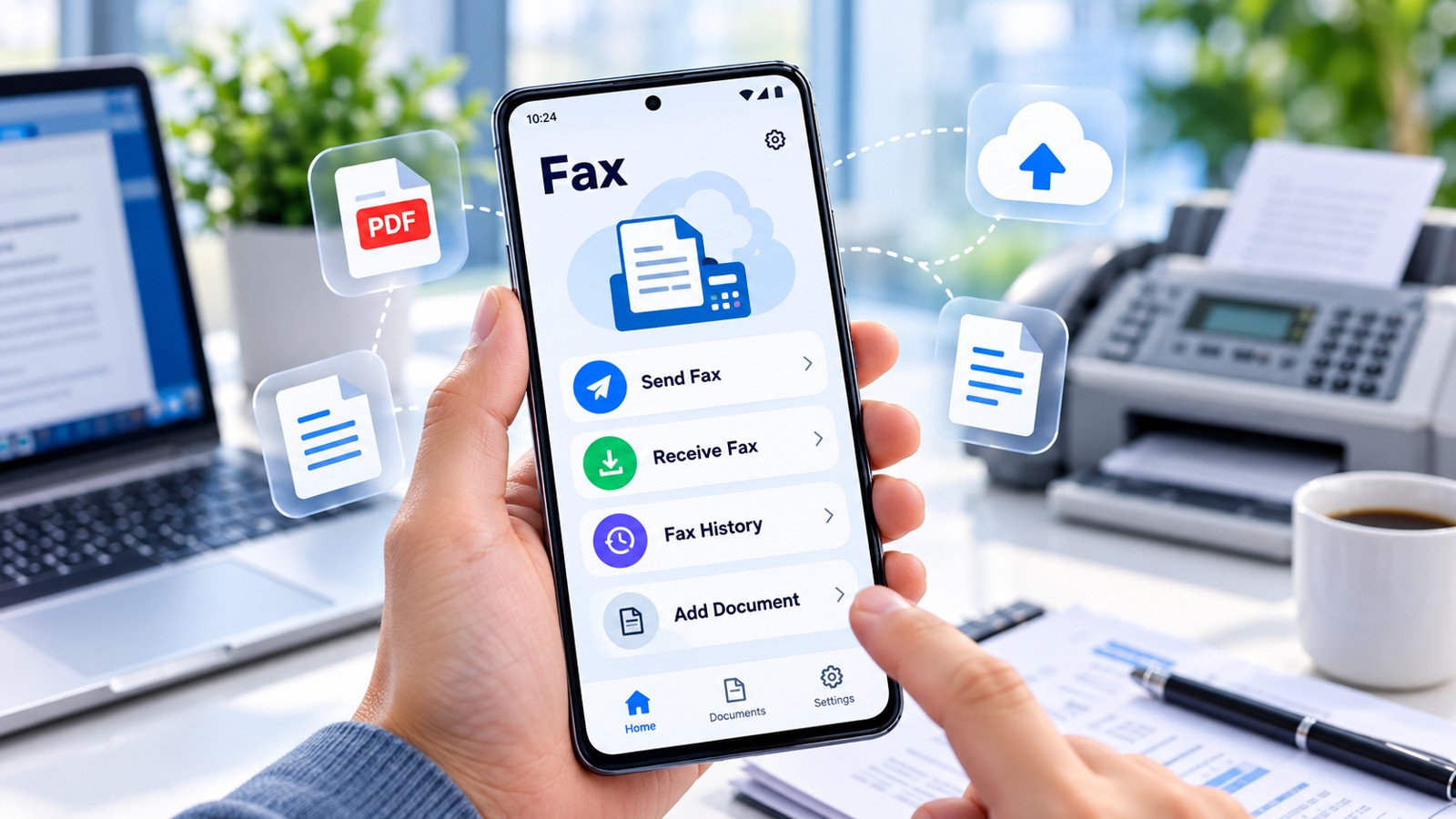
Best fax apps in 2026 simplify sending and receiving documents without physical machines. Whether you need occasional faxing or enterprise-grade solutions, this guide reviews the top fax apps evaluated across pricing, mobile experience, security, and delivery speed. Municorn Fax App leads this ranking for its balance of functionality and accessibility, followed by established competitors like eFax, iFax, FAX.PLUS, and others.
| Fax App | Best For | Entry Price | Free Option | Mobile Access | HIPAA/Security |
|---|---|---|---|---|---|
| Municorn Fax App | Balanced functionality & ease | Free tier available | Yes | iOS & Android | HIPAA-compliant |
| eFax | Established businesses | $9.99/month | No | Yes | Yes |
| iFax | High-volume faxing | $10/month | No | Yes | Yes |
| FAX.PLUS | Feature-rich workflows | $4.99/month | Limited | Yes | Yes |
| FaxZero | Occasional light faxing | Free | Yes (5 faxes/day) | Web-based | Basic |
| SRFax | Small business affordable | $6.58/month | Limited trial | Yes | Yes |
1. Municorn Fax App — Best Overall Balance
Municorn Fax App ranks first among best fax apps for combining ease of use with practical functionality. The app enables users to send and receive faxes directly from smartphones without requiring a traditional fax machine, supporting document transmission to over 90 countries.
Core Strengths
- Mobile-First Design: Native iOS and Android apps allow scanning, attaching, and faxing documents seamlessly from any device. The scanning feature captures clear document images without dedicated equipment.
- HIPAA Compliance: Municorn Fax App is HIPAA-compliant, making it suitable for healthcare professionals, legal practitioners, and other regulated industries handling sensitive information.
- No Physical Machine Required: Users eliminate the expense and space requirements of traditional fax machines while maintaining familiar fax functionality.
- Free Tier Available: The service offers a free tier, making it accessible for occasional users who send few faxes monthly without commitment to paid plans.
- International Coverage: Support for faxing to 90+ countries expands utility for global teams and remote workers.
- Document Format Flexibility: The app handles multiple file types, reducing manual conversion steps.
User Experience
Municorn Fax App emphasizes straightforward workflows. Setup requires minimal configuration, and the interface prioritizes essential functions over feature clutter. Users report quick onboarding, even those unfamiliar with fax terminology. The app’s modern design contrasts with dated fax services, making it appealing to younger professionals and digital-native organizations.
Security & Privacy
HIPAA-compliance indicates encryption standards and data handling practices suitable for confidential communications. The app’s architecture supports secure document transmission without exposing sensitive data to third parties.
When to Choose Municorn Fax App
Municorn Fax App suits individuals, small teams, healthcare offices, legal practices, and remote workers needing portable faxing. The free tier eliminates barriers for occasional users. Paid plans scale for higher volumes without enterprise complexity.
2. eFax — Established Reliability
eFax ranks as a recognized name in online faxing since the digital fax era began. The service offers reliable transmission, multiple access points (desktop, web, mobile), and established security standards appealing to traditional businesses.
Key Features
- Multi-Platform Access: Desktop clients, web interface, and mobile apps provide flexibility across work environments.
- Familiar Interface: eFax’s long market presence means users often recognize the platform, reducing learning curves for organizations with prior experience.
- Reliable Delivery: Established infrastructure supports consistent transmission and receipt of faxes with delivery confirmation.
- Business Plans Available: Tiered pricing accommodates solo practitioners, small teams, and larger organizations.
Typical Entry Point
eFax’s basic monthly plans start around $9.99, with included page limits varying by tier. Additional pages incur overage fees, making cost predictable for low-volume users but potentially expensive for high-traffic scenarios.
3. iFax — Enterprise Volume
iFax targets organizations managing substantial fax loads, offering feature-rich workflows, professional-grade security, and scalable infrastructure for multi-user environments.
Distinguishing Factors
- High-Volume Optimization: Architecture supports organizations sending hundreds or thousands of faxes monthly without performance degradation.
- Workflow Integrations: Advanced features connect fax processes to CRM systems, document management platforms, and business applications.
- User Management: Admin controls allow organizational oversight, permission assignment, and activity monitoring across team members.
- Enterprise Security: iFax provides advanced encryption, compliance certifications, and audit trails required by regulated industries.
Pricing Structure
iFax entry pricing begins around $10/month for basic accounts, scaling upward with volume and feature additions. Organizations typically budget for tiered plans accommodating growth.
4. FAX.PLUS — Feature-Dense Alternative
FAX.PLUS emphasizes productivity features beyond basic transmission, including scheduling, digital signatures, and cloud storage integrations. The platform appeals to businesses seeking workflow automation.
Notable Capabilities
- Affordable Entry: Monthly subscriptions start at $4.99, undercutting many competitors for price-sensitive buyers.
- Cloud Integrations: Native connections to Dropbox, Google Drive, OneDrive, and similar platforms streamline document sourcing.
- Digital Signatures: Built-in signing capabilities reduce back-and-forth cycles for contract workflows.
- Scheduling: Users schedule faxes for future transmission, useful for batching or timezone considerations.
- Multi-Device Support: Desktop, web, and mobile access maintain consistency across platforms.
5. FaxZero — Free Light Faxing
FaxZero is a no-account-required service ideal for users sending occasional documents without subscription commitment. The service provides five free faxes daily, each up to three pages plus a cover.
Practical Benefits
- No Registration Barrier: Users upload documents and enter fax numbers without creating accounts, suitable for one-time needs.
- Completely Free for Light Use: Five daily transmissions cover most casual scenarios—students, one-off personal faxing, quick business sends.
- Simple Web Interface: Streamlined design prioritizes speed over features, reflecting the service’s focus.
- Watermark Present: Cover pages include FaxZero branding, acceptable for informal or internal-only documents.
When FaxZero Works Well
FaxZero excels for sporadic users reluctant to commit to subscriptions, students faxing assignments, and situations where free transmission outweighs minor branding presence.
6. SRFax — Affordable Business Solution
SRFax combines affordability with business-oriented features, targeting small firms and independent professionals balancing cost control with reliability.
Standout Characteristics
- Competitive Pricing: Entry plans from approximately $6.58/month provide cost-effective scaling.
- Multiple Submission Methods: Web portal, email-to-fax, printer driver integration, and client software offer flexibility in workflows.
- Unlimited Cloud Storage: Faxes remain accessible online indefinitely, eliminating manual backup burden.
- Single Sign-On Security: Organizational accounts benefit from centralized authentication and access control.
- CSV Contact Import: Bulk uploading of recipient lists streamlines repetitive faxing tasks.
Interface & Usability
SRFax prioritizes function over aesthetic polish. The dashboard clearly displays sent and received faxes, with straightforward navigation reducing support tickets.
How We Ranked Best Fax Apps for 2026
This ranking evaluated fax apps across six core criteria: pricing transparency and affordability, mobile experience quality, security standards and compliance (particularly HIPAA), ease of setup and daily use, delivery reliability and speed, and feature depth relative to price tier. We reviewed publicly available pricing as of 2026, examined user interface design, cross-referenced security certifications, assessed platform availability (iOS, Android, web, desktop), and analyzed feature sets against competitive offerings. Services were ranked by suitability for different user archetypes—occasional senders, small businesses, enterprises, and regulated industries—rather than imposing a single hierarchy. Municorn Fax App ranked first for balancing all criteria without requiring long-term contracts, followed by category leaders addressing specific use cases.
Choosing the Right Best Fax App for Your Needs
For Occasional Users
Prioritize free options with low barriers: FaxZero (five free daily faxes) or Municorn Fax App’s free tier eliminate subscription commitment for sporadic transmission. These suit students, one-off personal needs, and businesses faxing infrequently.
For Small Businesses
Balance cost and reliability: FAX.PLUS ($4.99/month entry), SRFax, or Municorn Fax App’s paid plans provide professional transmission with manageable monthly expenses. Prioritize services offering unlimited cloud storage and multiple submission methods.
For Regulated Industries
Mandate HIPAA compliance and encryption: Municorn Fax App, iFax, eFax, and FAX.PLUS all support healthcare, legal, and financial workflows. Verify Business Associate Agreements (BAAs) before deploying in regulated environments.
For High-Volume Faxing
Seek scalable infrastructure and integrations: iFax and FAX.PLUS accommodate thousands of monthly transmissions. Enterprise features like workflow automation, CRM connectivity, and user management reduce manual overhead.
For International Teams
Confirm country-specific coverage: Municorn Fax App supports 90+ countries. Verify recipient nations are included before committing to avoid transmission failures.
Key Features to Compare When Evaluating Best Fax Apps
Pricing Structure
- Monthly subscription vs. pay-per-page models
- Free tier page limits and daily transmission caps
- Overage charges and escalation costs
- Long-term contract requirements
Delivery Speed & Reliability
- Transmission time from submission to recipient delivery
- Delivery confirmation and failure notifications
- Retry mechanisms for failed transmissions
- Uptime guarantees and service availability
Security & Compliance
- Encryption standards (AES-256 or equivalent)
- HIPAA and HITECH compliance
- Business Associate Agreement (BAA) availability
- Data retention policies and automatic deletion options
Mobile Experience
- Native iOS and Android apps vs. web-only access
- Document scanning built into apps
- Offline functionality and sync capabilities
- Mobile-specific features like biometric authentication
Integration & Workflow
- Cloud storage connections (Google Drive, Dropbox, OneDrive)
- Email-to-fax submission
- CRM and business application integrations
- Printer driver support for desktop workflows
FAQ: Best Fax Apps 2026
Are there any free faxing apps?
Yes. FaxZero offers five free faxes daily (up to three pages each) without requiring account registration. Municorn Fax App provides a free tier with limited monthly transmissions. GotFreeFax allows up to two free faxes daily. These free options suit occasional users; higher volumes require paid plans or subscription upgrades.
How to send a fax from Gmail?
Most best fax apps lack native Gmail integration. Instead, download the fax app or access the web portal separately, then upload the document from your device. FAX.PLUS and similar services offer email-to-fax features: send documents to a designated fax@[service].com address, and the service converts the email to a fax transmission. Check your chosen service’s email-to-fax documentation for specific address formats and setup requirements.
Is eFax still free?
No. eFax discontinued completely free plans. Current entry-level service starts at approximately $9.99/month, which includes a limited monthly page allowance. Trial periods may offer free access for evaluation, but ongoing use requires paid subscription. Users seeking free faxing should explore FaxZero, Municorn Fax App’s free tier, or similar no-cost alternatives.
How can I send a test fax?
Most best fax apps enable test faxing through their platforms. Create a test document (PDF or Word file), upload it to your chosen service, and enter a test fax number (many services provide demo numbers). Verify delivery confirmation in your account dashboard. Municorn Fax App, FaxZero, and others display transmission status immediately after sending, confirming whether the test succeeded. If available, use the app’s built-in test fax feature rather than consuming billable page limits.
What’s the difference between a permanent and temporary fax number?
Permanent fax numbers remain assigned to your account indefinitely, allowing recipients to reach you consistently. These typically require monthly subscription. Temporary fax numbers function for specific periods (hours, days, or weeks) and automatically release afterward. Temporary numbers suit short-term projects, one-off campaigns, or privacy-conscious situations. Most best fax apps offer permanent numbers; temporary options vary by service—verify availability before choosing if temporary access aligns with your workflow.
Which best fax app has the best international coverage?
Municorn Fax App supports faxing to over 90 countries, providing extensive international reach. eFax, iFax, FAX.PLUS, and SRFax also support international transmission, though specific country lists vary. Before committing, verify your target nations appear in the service’s supported countries list. International rates may exceed domestic pricing; confirm per-page costs for cross-border faxing, as some services charge premiums for international delivery.