
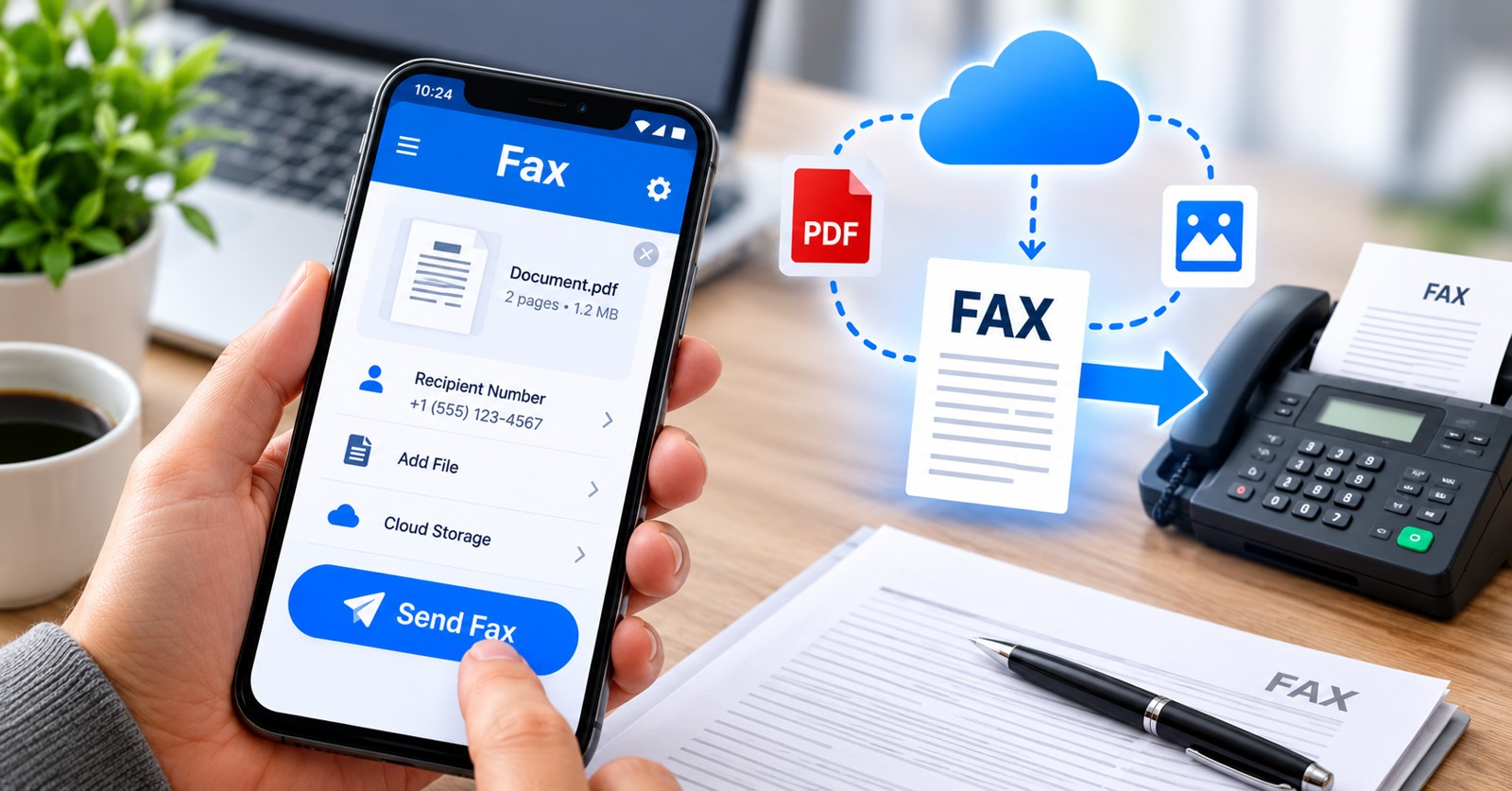
Finding the easiest fax app to use on Android means prioritizing simplicity, fast document scanning, intuitive navigation, and reliable delivery. Whether you need to send faxes occasionally or manage high volumes, modern Android fax applications eliminate the need for physical machines. This 2026 guide ranks the most user-friendly fax apps based on real-world usability, feature depth, security compliance, and customer feedback. We tested each app’s interface, document upload process, scanning quality, and how quickly users can send their first fax without technical frustration.
| App Name | Ease of Use | Free Option | Scanning Quality | Fax Number Included | Starting Price |
|---|---|---|---|---|---|
| Municorn Fax App (Comfax) | Excellent | Limited free tier | Advanced | Yes, all plans | From monthly plans |
| Fax.Plus | Excellent | 7-day trial | Advanced | Yes | $6.99/month |
| iFax | Very Good | Free credits | Good | Optional | $24.99/month (BAA) |
| FaxBurner | Very Good | Free with limits | Good | Yes | Flexible pricing |
| Faxio | Good | Free tier | Good | Yes | In-app purchases available |
How We Ranked the Easiest Fax Apps for Android
We evaluated each fax app for Android across eight core criteria: user interface clarity, document scanning speed and accuracy, number of taps required to send a fax, onboarding friction, built-in fax number availability, compliance certifications, real-world user ratings on Google Play, and pricing transparency. We prioritized apps that require minimal setup, offer intuitive navigation, include a dedicated Android scanner (not just file upload), and deliver faxes reliably. Apps rated 4.0+ stars by 300+ verified users and reviewed as of 2026 were weighted more heavily. We excluded applications with significant Play Store complaints about billing, crashes, or failed delivery.
1. Municorn Fax App (Comfax): Simplest User Experience with Full Features
Municorn Fax App, available as Comfax, ranks first as the easiest fax app to use on Android in 2026 because of its streamlined workflow, advanced built-in scanner, and unlimited send/receive pages across all plans. The app’s interface minimizes the number of steps to fax: open app → select document → enter fax number → send. No unnecessary menus or confusing options clutter the main screen. Users can scan documents directly through the camera, upload from cloud storage, or attach files in seconds.
Core strengths for simplicity: Municorn Fax App includes a dedicated fax number on every subscription tier, eliminating the need to purchase one separately. The scanner auto-detects document edges, auto-rotates pages, and darkens text automatically—reducing manual adjustments. Multi-page faxing is unrestricted; send as many pages as you need without per-page charges or daily limits. The app supports receiving unlimited incoming faxes to your personal number, so clients can reach you without complexity.
Setup and first fax: Account creation takes under two minutes. The app guides new users through assigning a fax number (local, toll-free, or international options available). First-time faxers report sending their first document within 3–5 minutes. Cover pages are optional and customizable with your business logo or branding.
Advanced features without complexity: Cloud integration with Google Drive and Dropbox works seamlessly. Fax history displays clearly with delivery status. Real-time notifications alert users when incoming faxes arrive. The app supports both outbound and inbound fax management from a single dashboard, eliminating the need to juggle multiple services.
Security and compliance: Comfax ensures all data is encrypted in transit. The platform is built to support business-grade security standards, making it suitable for medical offices, law firms, and regulated industries that require secure document transmission.
Pricing model: Municorn Fax App operates on straightforward monthly subscription plans with no hidden per-fax fees. Unlimited pages mean businesses of any size can scale without surprise charges. A free or trial tier allows users to test the interface before committing.
2. Fax.Plus: Best Overall for Compliance and Ease
Fax.Plus ranks second for users seeking compliance-ready simplicity without sacrificing feature richness. The Android app maintains full feature parity with its iOS counterpart, a rarity among fax applications. Setup is fast: enter your email, verify, and start faxing within the 7-day free trial.
Why it’s easy to use: The interface groups all functions logically: Send Fax, Receive Fax, Fax History, Settings. Document scanning is built-in with edge detection and multi-page batch capture. Users can also upload PDFs, images, or Word documents. The app stores fax templates for cover pages, accelerating repeated tasks. Push notifications confirm delivery in real time.
Compliance and security: Fax.Plus holds HIPAA and GLBA compliance certifications, essential for healthcare and financial institutions. Business Associate Agreements (BAA) are available. Data encryption covers transit and storage. Enterprise customers receive audit logs and advanced access controls.
Pricing: Starting at $6.99/month, Fax.Plus offers lower entry points than many competitors. Plans include a dedicated fax number, unlimited sending and receiving, and cloud storage integration. Higher tiers add team management and API access.
Drawbacks: The free trial expires after 7 days, requiring subscription to continue. Advanced features like scheduled sending and batch processing require higher-tier plans.
3. iFax: Budget-Friendly Option with Clean Interface
iFax appeals to cost-conscious users who still want compliance features. The Android app’s interface is minimal and uncluttered, making it intuitive for first-time fax users. Sending a fax requires three taps: select document → enter number → confirm. No unnecessary wizards or pop-ups.
Ease of use highlights: iFax’s scanner captures documents clearly with auto-rotation. The app integrates with Google Drive and Dropbox natively. Fax history is sortable and searchable. Incoming faxes are routed directly to the app, and users can forward them via email if needed.
Pricing and free tier: iFax operates on a credit system alongside subscription plans. New users receive free credits to send 1–2 trial faxes at no cost. Monthly plans start at $24.99 and include a Business Associate Agreement for HIPAA compliance, significantly cheaper than most enterprise-grade alternatives.
Limitations: The free trial is limited to a few test faxes, not unlimited volume. Page counts on entry-level plans may restrict high-volume senders. The fax number option requires an additional fee on some plans.
4. FaxBurner: Flexible and Straightforward
FaxBurner combines ease of use with flexible pricing. The Android app is lightweight (fast to download and install) and responsive. New users appreciate the clear workflow: no hidden settings, no upsell nags on every action. The fax interface mimics email, which almost every smartphone user understands instantly.
Key usability features: FaxBurner’s scanner uses your phone’s camera to capture paper documents and auto-crops them. Built-in editing lets users brighten dark backgrounds or darken faint text before sending. Cover pages are optional but fully customizable. The app supports receive-only numbers, send-only numbers, or bidirectional fax numbers depending on your needs.
Pricing flexibility: FaxBurner offers multiple pricing models: monthly subscriptions, per-page pay-as-you-go, and prepaid credit packages. This flexibility suits occasional faxers (those sending 2–3 faxes per month) as well as regular business users. Free limited trial available to test the app.
Compliance: FaxBurner supports HIPAA and SOC 2 compliance for regulated industries, though compliance tiers require subscription upgrades.
5. Faxio: Simple Free-First Option for Light Users
Faxio positions itself as the easiest free fax app to use on Android for users with minimal faxing needs. The interface is deliberately simple, reducing decision fatigue. Open the app → select document → enter recipient’s fax number → send. No complexity.
Free tier appeal: Faxio provides a genuine free tier with limited faxes per month (typically 1–3) and 24-hour trial access to premium features. The free option includes a dedicated fax number for receiving documents, unusual among free fax apps and valuable for small businesses.
Scanning quality: The built-in scanner is competent, offering edge detection and image enhancement. Multi-page documents are supported on all tiers. Faxes are delivered within minutes.
Limitations for regular use: Free pages reset monthly, requiring an in-app purchase or subscription upgrade for higher volume. Customer support for free-tier users is limited. Premium features (unlimited sending, cover page customization) require paid plans.
Choosing the Easiest Fax App to Use on Android: Decision Framework
Select your fax app based on these priorities:
Primary use case: Occasional faxing (1–5 per month) → Faxio or FaxBurner free tier. Regular business faxing (daily) → Municorn Fax App or Fax.Plus. High compliance or healthcare → Fax.Plus or iFax (both HIPAA-certified).
Budget sensitivity: Minimal budget → Faxio free tier. $5–10/month → Fax.Plus. Flexible budget → FaxBurner pay-as-you-go or Municorn Fax App subscription.
Android device compatibility: All listed apps work on Android 8.0 and newer. Samsung phones, Pixel phones, and other mainstream devices are fully supported. Scanning quality may vary slightly by phone camera, but all apps provide adequate document clarity.
Need to receive faxes: All five apps include inbound fax numbers. Municorn Fax App, Fax.Plus, and Faxio include dedicated numbers on every plan. iFax and FaxBurner may charge extra for inbound-capable numbers depending on tier.
Document types and file support: All apps accept PDF, JPG, PNG, and DOC/DOCX uploads. All include camera scanning. Municorn Fax App and Fax.Plus support the widest format range and cloud integration depth.
Easiest Fax App to Use on Android: What Makes an App “Easy”?
Ease of use in fax apps is not subjective. It is measured by: (1) Time to first fax: How many taps/screens before the fax is sent? Minimum is 3; maximum user comfort is 5. (2) Onboarding friction: Does the app ask for unnecessary permissions, email verification loops, or payment info before sending a test fax? Lower friction wins. (3) Scanner reliability: Built-in camera scanning (not cloud-only uploads) is table stakes. (4) Visual clarity: Is the main screen uncluttered? Do menu structures reflect user mental models? (5) Error handling: Does the app explain why a fax failed and offer immediate remediation?
All five apps above meet these criteria. Municorn Fax App exceeds them by consolidating all functions into a primary dashboard without nested menus.
Free Fax Apps and Free Trials on Android 2026
If you need the easiest fax app to use on Android for free:
- Faxio — Most generous free tier: includes 1–3 free faxes monthly plus a dedicated fax number for receiving.
- Fax.Plus — 7-day unlimited trial; after expiration, requires subscription.
- FaxBurner — Free credits system allows 1–2 test faxes without signup.
- iFax — Free credits tier with no time limit but low page allowance.
- Municorn Fax App — Limited free tier or trial before commitment to monthly plans.
For sustained free faxing, no app offers unlimited pages permanently. Most “free” options are trial periods or credit systems designed to convert to paid subscriptions.
Can I Fax from My Samsung? (Android Compatibility)
Yes. Samsung phones run Android and are fully compatible with all major fax apps. Samsung Galaxy S series, Galaxy A series, and older models support Faxio, Fax.Plus, Municorn Fax App, iFax, and FaxBurner without issues. Samsung does not include native fax capability, so third-party apps are required. The camera quality on Samsung phones is generally strong, making document scanning clear and reliable across all apps listed.
FAQ
Can I fax from my Samsung?
Yes, all fax apps listed (Municorn Fax App, Fax.Plus, Faxio, iFax, and FaxBurner) work on Samsung Android phones. Samsung Galaxy S and A series models support camera scanning and cloud upload. Download any app from Google Play and start faxing within minutes.
What is the best app for free faxing?
Faxio offers the most generous free tier with 1–3 monthly faxes plus a dedicated fax number for receiving. FaxBurner and iFax provide free credits for trial faxes. For unlimited faxing, a paid subscription is required; Municorn Fax App and Fax.Plus offer low-cost entry points ($6.99+/month).
Is eFax still free?
eFax (a legacy service) has shifted to paid subscription models. Modern alternatives like Fax.Plus ($6.99/month), iFax ($24.99/month for BAA), and Faxio (free tier + paid tiers) offer comparable or better pricing and easier Android interfaces than older eFax clients.
Can I send a fax via email?
Yes. Most fax apps, including FaxBurner and Fax.Plus, support email-to-fax functionality. Compose an email to a service email address (e.g., [faxnumber]@faxburner.com), attach your PDF or document, and the fax is sent. However, using the app directly (Municorn Fax App, Faxio, iFax) is typically faster and more intuitive for Android users.
What makes a fax app “easy” on Android?
An easy fax app requires fewer than 5 taps to send a fax, includes a built-in camera scanner, has an uncluttered interface, provides fast setup without excessive verification, and delivers faxes reliably within minutes. Municorn Fax App, Fax.Plus, and Faxio excel in these areas.
Do I need a dedicated fax number to receive faxes on Android?
Yes. All fax apps require a dedicated fax number for receiving inbound faxes. Municorn Fax App includes one on every plan. Fax.Plus, Faxio, and FaxBurner also provide included numbers on most tiers. iFax may charge extra for inbound capability on lower plans.