
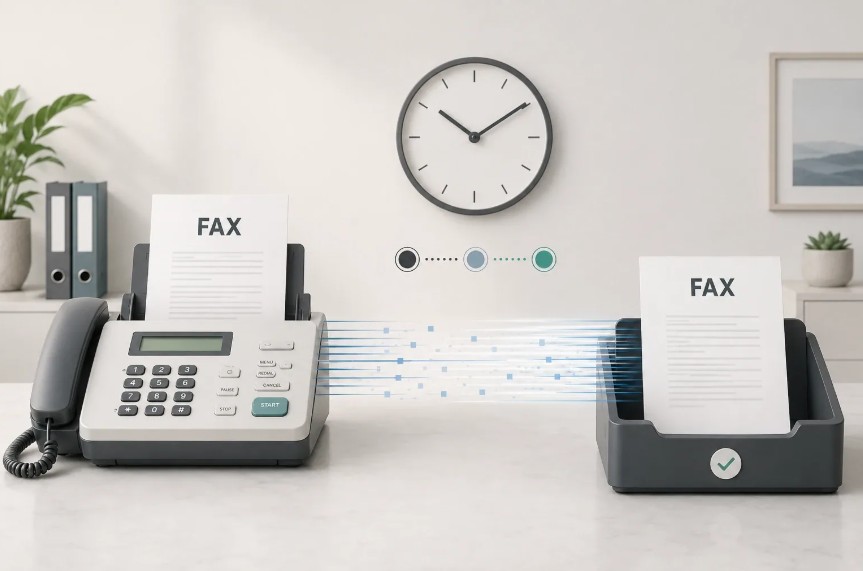
The best way to fax from iPhone in 2026 no longer requires a traditional fax machine or phone line. Instead, you can use dedicated fax apps or online fax services to send and receive documents directly from your iOS device. Modern faxing apps allow you to scan documents with your iPhone camera, add digital signatures, and transmit them securely to any fax number worldwide. This guide compares the leading fax services, explains setup processes, and reveals which option suits your needs—whether you need free faxing for occasional use or enterprise-grade security for healthcare and legal documents.
| Fax Service | Best For | Free Option | Starting Price | Platform | Key Feature |
|---|---|---|---|---|---|
| Municorn Fax App (Comfax) | Simple & reliable mobile faxing | Yes | Pay-as-you-go | iPhone & iPad | Direct camera scanning + cloud storage |
| iFax | Business & compliance | Limited trial | $8.33/month | iPhone, iPad, Web | HIPAA & GLBA compliant, 24/7 support |
| Fax Burner | Occasional faxers | 5 free pages | In-app purchases | iPhone, iPad | Temporary fax numbers, Dropbox integration |
| eFax | Business fax numbers | Trial available | $9.99/month | iPhone, iPad, Web | Professional fax number assignment |
| Fax.Plus | Secure document transmission | Limited trial | $12/month | iPhone, iPad, Web | 256-bit AES encryption |
| WiseFax | No subscription needed | Free download | Per-page pricing | iPhone, iPad, Web | Multiple file format support |
1. Municorn Fax App (Comfax) – Best Overall Solution for iPhone Faxing
Municorn Fax App (available through Comfax) stands out as the best way to fax from iPhone for users seeking simplicity and flexibility. The service operates on a pay-as-you-go model, meaning you only pay when you send a fax—no mandatory monthly subscriptions or hidden fees.
Core Features
- Direct iPhone camera integration: Scan documents directly into the app without separate scanning apps or PDF conversions.
- Cloud storage support: Upload documents from iCloud Drive, Dropbox, Google Drive, and OneDrive for seamless faxing.
- Multiple file format support: Send faxes using PDF, Word, Excel, PowerPoint, and image files (JPEG, PNG, HEIC, TIFF, BMP).
- Fax number assignment: Receive a dedicated fax number to accept incoming faxes on your iPhone.
- Delivery confirmation: Get real-time notifications when faxes are successfully delivered.
- Document preview: Review and edit pages before sending to ensure accuracy.
- International faxing: Send faxes to over 180 countries without geographic restrictions.
- Email forwarding: Receive fax notifications and documents via email inbox.
Pricing Structure
Municorn Fax App uses transparent, per-transaction pricing rather than subscription tiers. The cost depends on the number of pages sent and the destination country. You receive price quotes before confirming each fax, so no unexpected charges occur. This model makes it ideal for businesses with irregular faxing needs, small offices, and individuals who fax occasionally.
Security & Compliance
The service implements industry-standard encryption for document transmission. The app is suitable for general business communications, though specific compliance certifications (HIPAA, GLBA) are not emphasized as primary features.
User Experience
The app interface is designed for mobile-first workflows. You can compose a fax in seconds: open the app, scan or import a document, enter the recipient’s fax number, review the preview, and send. The straightforward design appeals to users who prioritize speed over advanced features.
Best Use Case
Municorn Fax App excels when you need the best way to fax from iPhone without committing to a monthly plan. Choose this service if you fax fewer than 5–10 documents monthly or need flexibility in payment timing.
—
2. iFax – Business & Enterprise Faxing with Compliance Certification
iFax is the best way to fax from iPhone for professionals in regulated industries such as healthcare, finance, and law. Launched alongside the App Store in 2008, iFax has built a reputation for compliance-focused solutions.
Core Features
- HIPAA & GLBA compliance: Designed for healthcare providers and financial institutions requiring regulatory adherence.
- 256-bit AES encryption: End-to-end encryption protects sensitive documents during transmission and storage.
- Real-time fax tracking: Monitor fax status from submission through successful delivery.
- Unlimited cloud storage: Archive unlimited documents without storage caps.
- Free fax number: Receive a local fax number in the United States, Canada, or United Kingdom.
- 24/7 customer support: Available year-round for technical assistance and compliance questions.
- Multiple subscription tiers: Choose between iFax Basic (personal), iFax Plus, and iFax Professional (enterprise).
Pricing
iFax Basic starts at $8.33 per month for personal use. Business tiers (iFax Plus and Professional) offer higher monthly costs but include expanded storage, user accounts, and advanced features suited to team environments.
Best Use Case
iFax is the best way to fax from iPhone if you work in healthcare, law, or finance and need HIPAA/GLBA compliance. The service is also ideal for teams requiring centralized document management and 24/7 support.
—
3. Fax Burner – Best Free Option for Occasional Faxing
Fax Burner offers the most accessible entry point to mobile faxing. The app provides 5 free pages per month without requiring a credit card or subscription.
Core Features
- Free trial pages: Send up to 5 pages monthly without in-app purchases.
- Temporary fax numbers: Each fax automatically generates a temporary fax number valid for 24 hours to receive replies.
- Dropbox & email integration: Pull documents directly from Dropbox or email attachments.
- Digital signatures: Sign documents within the app before faxing.
- Form filling: Complete PDF forms and fax them directly.
- Fax alerts: Receive push notifications when incoming faxes arrive.
- PDF export: Automatic email delivery of fax confirmation and sent document copies.
Pricing
Free for up to 5 pages monthly. Beyond the free allowance, users make in-app purchases to continue faxing. This makes Fax Burner the best way to fax from iPhone free for light users or those testing faxing workflows before committing to paid services.
Best Use Case
Choose Fax Burner if you send fewer than 5 pages monthly or want to test mobile faxing risk-free. The app suits travelers, students, and professionals with irregular faxing needs.
—
4. eFax – Business Fax Numbers & Professional Identity
eFax specializes in assigning dedicated business fax numbers to iPhone users. If you need a professional fax identity separate from personal channels, eFax delivers that capability.
Core Features
- Dedicated business fax number: Receive a local fax number for your business in your area code.
- Send & receive faxes: Full-duplex faxing from mobile and desktop devices.
- Fax forwarding: Auto-forward received faxes to email or mobile app.
- Web & app access: Use iPhone app or web browser interchangeably.
- Document management: Organize and archive faxes within the app.
- Trial period: Free trial available to test service before committing.
Pricing
eFax plans start at $9.99 per month for basic faxing with a dedicated business number. Higher tiers offer expanded features and page allowances.
Best Use Case
eFax is the best way to fax from iPhone when you need a professional, branded fax number for your business. Ideal for small businesses, consultants, and service providers who want clients to fax directly to them rather than using temporary numbers.
—
5. Fax.Plus – Enterprise Security & Encryption
Fax.Plus prioritizes security with enterprise-grade encryption suitable for organizations handling confidential documents.
Core Features
- 256-bit AES encryption: Industrial-strength security for sensitive transmissions.
- Unlimited cloud storage: Archive documents without storage limitations.
- Real-time delivery confirmations: Track each fax status through the transmission process.
- Multi-user accounts: Create team accounts with role-based access controls.
- API integration: Integrate faxing into custom software workflows.
- Compliance ready: Designed for regulated industries (though specific certifications may vary).
Pricing
Plans begin at $12 per month, making Fax.Plus a mid-range option between consumer services and enterprise solutions.
Best Use Case
Choose Fax.Plus if your organization requires robust encryption, multi-user team accounts, and API integration capabilities. Ideal for legal firms, healthcare groups, and corporate departments with heightened security requirements.
—
6. WiseFax – Flexible Pay-As-You-Go Without Subscription
WiseFax eliminates subscription requirements entirely. Download the free app, upload documents, and pay only for pages you send—similar to Municorn Fax App but with emphasis on format flexibility.
Core Features
- No subscription required: Free download; only pay per fax sent.
- Broad file format support: Works with PDF, Word, Excel, PowerPoint, Apple Pages, Numbers, Keynote, and multiple image formats.
- Automatic format optimization: Converts and optimizes documents for fax transmission automatically.
- Camera-based document capture: Photograph physical documents directly into the app.
- Price preview: See cost before confirming each fax transmission.
- Email confirmation: Receive delivery confirmations via email.
- International faxing: Send faxes globally to any fax number.
Pricing
Free download with per-page pricing for each fax sent. Costs vary based on recipient country and document length. No hidden fees or mandatory subscriptions.
Best Use Case
WiseFax is the best way to fax from iPhone free for users who prioritize document format flexibility and dislike subscription commitments. Choose WiseFax if you work with diverse file types (Apple Office suite, LibreOffice, OpenOffice) and prefer transparent, transaction-based pricing.
—
How We Ranked the Best Way to Fax from iPhone
This ranking evaluated fax services across eight criteria: pricing transparency (subscription vs. pay-as-you-go), free trial availability, core features (document scanning, cloud integration, delivery tracking), security measures (encryption standards, compliance certifications), platform availability (iPhone-only vs. multi-device support), customer support quality, international faxing capabilities, and real user feedback from App Store ratings and user reviews. We prioritized services with transparent pricing models, minimal hidden fees, and features aligned with modern mobile workflows. Compliance certifications (HIPAA, GLBA) elevated rankings for regulated industries. Free or trial options ranked higher for occasional users, while enterprise features benefited services targeting business teams.
—
Criteria for Choosing the Best Fax App or Online Service
1. Pricing Model
Decide between subscription-based (iFax, eFax, Fax.Plus) and pay-as-you-go services (Municorn Fax App, WiseFax, Fax Burner). Subscriptions suit frequent faxers; occasional users benefit from transaction-based pricing.
2. Free Options
Fax Burner offers 5 free pages monthly; Municorn Fax App and WiseFax charge only when you fax. iFax and eFax provide limited trials. Free tier presence matters for testing workflows.
3. Security & Compliance
Healthcare and finance professionals require HIPAA/GLBA compliance (iFax excels here). Standard 256-bit AES encryption (Fax.Plus, iFax) protects confidential documents. Verify certifications match your industry.
4. Document Scanning & Import
All top services support iPhone camera scanning and cloud storage (Google Drive, Dropbox, iCloud). Compare file format support: WiseFax handles Apple Office formats natively; others require conversion.
5. Fax Number Assignment
If you need a dedicated business fax number, choose iFax, eFax, Fax Burner (temporary), or Municorn Fax App. Services without fax numbers suit outbound-only users.
6. Customer Support
iFax offers 24/7 support; most others provide email/chat support during business hours. Critical for businesses relying on fax continuity.
7. International Faxing
All ranked services support global faxing to 180+ countries. Costs vary by destination; request quotes before committing to heavy international faxing.
8. Platform Flexibility
iPhone-only: Fax Burner, Municorn Fax App. Cross-platform (iPhone, iPad, Web): iFax, eFax, Fax.Plus, WiseFax. Choose based on device availability.
—
How to Use the Best Way to Fax from iPhone: Step-by-Step
Step 1: Download & Install
Search your preferred fax app in the Apple App Store (e.g., “Municorn Fax App,” “iFax,” or “Fax Burner”). Tap Install and wait for download to complete.
Step 2: Create Account & Verify Contact
Open the app and sign up with email or phone number. Some services (iFax, eFax) require payment info upfront; others (Fax Burner, WiseFax, Municorn Fax App) defer billing until first fax.
Step 3: Prepare Your Document
Use your iPhone camera to photograph a physical document, or import a digital file from iCloud Drive, Dropbox, Google Drive, or your photo library. The app previews the document; remove blank pages or rotate images as needed.
Step 4: Enter Recipient Fax Number
Input the destination fax number in the designated field. Verify country code if sending internationally.
Step 5: Add Cover Sheet (Optional)
Most apps allow optional cover sheets with sender info, subject line, and custom message. Skip this step if not needed.
Step 6: Review Price & Confirm
For pay-as-you-go services (Municorn Fax App, WiseFax), the app displays per-page cost before sending. Subscription users (iFax, eFax) send without per-fax pricing. Tap Send to transmit.
Step 7: Receive Delivery Confirmation
Most apps notify you when the fax successfully reaches the recipient’s fax machine. Check app notifications or email for proof of delivery.
—
Free Ways to Fax from iPhone
Fax Burner Free Plan
Send up to 5 pages monthly completely free. No credit card required to start. Temporary fax number generation allows receiving replies without a permanent number.
Limited Trials
iFax, eFax, and Fax.Plus offer free trial periods (typically 5–7 days or limited free faxes). Test services before committing to subscriptions.
Pay-As-You-Go Models
Municorn Fax App and WiseFax charge zero upfront. You only pay when sending faxes, making them effectively free until your first transmission. Per-page rates typically range from $0.50–$3.00 depending on destination country and page count.
Browser-Based Alternatives
Some online fax services allow faxing through Safari without app installation. However, dedicated apps provide faster, more optimized experiences for mobile use.
—
Security Considerations When Faxing from iPhone
Encryption Standards
All major fax services use 256-bit AES encryption for data in transit. This protects documents from interception during transmission. Verify encryption is end-to-end (from your iPhone through the service to recipient).
Compliance Certifications
Healthcare organizations require HIPAA compliance; financial institutions need GLBA adherence. iFax explicitly holds both certifications. Others may be compliant but don’t emphasize certifications as primary marketing points.
Data Storage
All services store received and sent faxes in cloud servers. Review privacy policies to understand retention periods and data deletion options. Some services auto-delete faxes after 30–90 days; others retain indefinitely until manually removed.
Authentication & Access Control
Use strong, unique passwords for fax app accounts. Enable two-factor authentication (2FA) where available (especially important for iFax and eFax business accounts).
Network Security
Only fax over secure Wi-Fi networks or cellular data. Avoid public Wi-Fi for sensitive documents. Most apps encrypt locally on your device before transmission, adding an extra security layer.
—
Comparison: Best Way to Fax from iPhone for Specific Use Cases
For Occasional Personal Use
Best choice: Fax Burner or Municorn Fax App
Fax Burner’s 5 free pages monthly suit infrequent faxers. Municorn Fax App’s pay-as-you-go model avoids subscription commitment. Both avoid excessive costs for rare faxing needs.
For Small Business Faxing
Best choice: eFax or Municorn Fax App
eFax provides a dedicated business fax number for professional identity. Municorn Fax App offers cost flexibility without monthly fees. Choose eFax if you want customers to see a permanent fax number; choose Municorn if you prioritize budget control.
For Healthcare or Legal Professionals
Best choice: iFax
HIPAA and GLBA compliance make iFax mandatory for regulated industries. 24/7 support and unlimited storage support busy practices. Higher cost justified by compliance certainty.
For Document Format Flexibility
Best choice: WiseFax
Native support for Apple Pages, Numbers, Keynote, LibreOffice, and OpenOffice documents. Automatic format optimization eliminates manual conversion steps.
For Enterprise Teams
Best choice: Fax.Plus or iFax Professional
Multi-user accounts, API integration, and team role-based access control support department-wide faxing. Fax.Plus emphasizes encryption; iFax emphasizes compliance.
—
Common Faxing Scenarios & Solutions
Scenario: Need to Fax Urgent Medical Records
Use iFax. HIPAA compliance ensures legal regulatory adherence. Document upload to fax delivery takes seconds. Real-time tracking confirms receipt. 24/7 support addresses any transmission issues.
Scenario: Faxing 50+ Pages Monthly from Multiple Devices
Use Fax.Plus or iFax Professional. Subscription unlimited pages reduce per-page costs. Multi-user accounts and cloud sync enable team access across iPhone, iPad, and web browsers.
Scenario: Faxing Rarely, Want Zero Subscription Costs
Use Municorn Fax App or WiseFax. Pay-as-you-go models charge only when you fax. No cancellation hassles or surprise monthly charges.
Scenario: Receiving Faxes Professionally on Business Number
Use eFax or iFax. Both assign dedicated local fax numbers for receiving. Faxes auto-forward to email or app notification. Clients see your business number, not a temporary generic line.
Scenario: Faxing Converted PDF from Scanned Receipts
Use Fax Burner, Municorn Fax App, or WiseFax. All support PDF uploads and automatic image format conversion. Fax Burner’s temporary numbers suit one-off transactions; others work for repeated faxing.
—
Advantages of iPhone Faxing vs. Traditional Fax Machines
Mobility
Send and receive faxes anywhere with internet connectivity. No need to visit an office fax machine or return to your desk.
Cost Efficiency
Eliminate hardware purchase, phone line setup, paper, ink, and maintenance costs. Pay-per-page or low monthly subscriptions beat traditional infrastructure expenses.
Environmentally Friendly
Digital-only workflows reduce paper consumption. Cloud storage eliminates physical document filing cabinets.
Integration with Modern Tools
iPhone fax apps integrate with Dropbox, Google Drive, iCloud, and email. Traditional machines lack cloud connectivity and require manual file transfers.
Security & Compliance
Encryption and audit trails built into modern fax apps. Regulatory compliance certifications (HIPAA, GLBA) easier to achieve digitally than with physical machines.
Speed & Automation
Send batches of faxes to multiple recipients in seconds. Automatic delivery confirmations and status tracking beat manual machine operation.
—
FAQ
How can I send a fax through my iPhone?
Download a fax app like Municorn Fax App, iFax, Fax Burner, or WiseFax. Open the app, scan or import a document, enter the recipient’s fax number, review the preview, and tap Send. Most faxes transmit within seconds. You’ll receive a delivery confirmation once the fax reaches the recipient’s machine.
How much does UPS charge for faxing?
UPS Store faxing typically costs $1–$5 per page depending on location and whether it’s domestic or international. iPhone fax apps often undercut UPS pricing: pay-as-you-go services range $0.50–$3.00 per page, and subscription services (iFax at $8.33/month) offer unlimited pages. For frequent faxing, apps save money; for rare faxes, UPS remains an option.
How to fax for free?
Fax Burner offers 5 free pages monthly with no credit card required. Municorn Fax App and WiseFax charge zero upfront—pay only when you fax your first document. Many services (iFax, eFax, Fax.Plus) provide free trial periods lasting 5–7 days. These options allow cost-free testing before committing to paid plans.
Is eFax still free?
eFax no longer offers a completely free tier but does provide a free trial period to test the service. Paid plans start at $9.99 per month. For truly free faxing, Fax Burner (5 free pages monthly) and pay-as-you-go services (Municorn Fax App, WiseFax) offer zero-cost entry points.
What is the best fax app for iPhone in 2026?
The best choice depends on your needs. Municorn Fax App wins for simplicity and pay-as-you-go flexibility. iFax excels for regulated industries (healthcare, finance) requiring HIPAA/GLBA compliance. Fax Burner suits occasional faxers wanting free pages. eFax provides dedicated business fax numbers. WiseFax handles diverse file formats. Evaluate your faxing frequency, security requirements, and budget to pick the best option.
Can I receive faxes on my iPhone?
Yes. Services like Municorn Fax App, iFax, eFax, Fax Burner (temporary numbers), Fax.Plus, and WiseFax support incoming faxes. You receive a dedicated fax number or temporary number to receive documents. Incoming faxes arrive as app notifications, email attachments, or both. Storage and retrieval work identically to outgoing faxes.